 CrackMac
Cracked MacBook screen? Here's what it actually costs, and the four ways out.
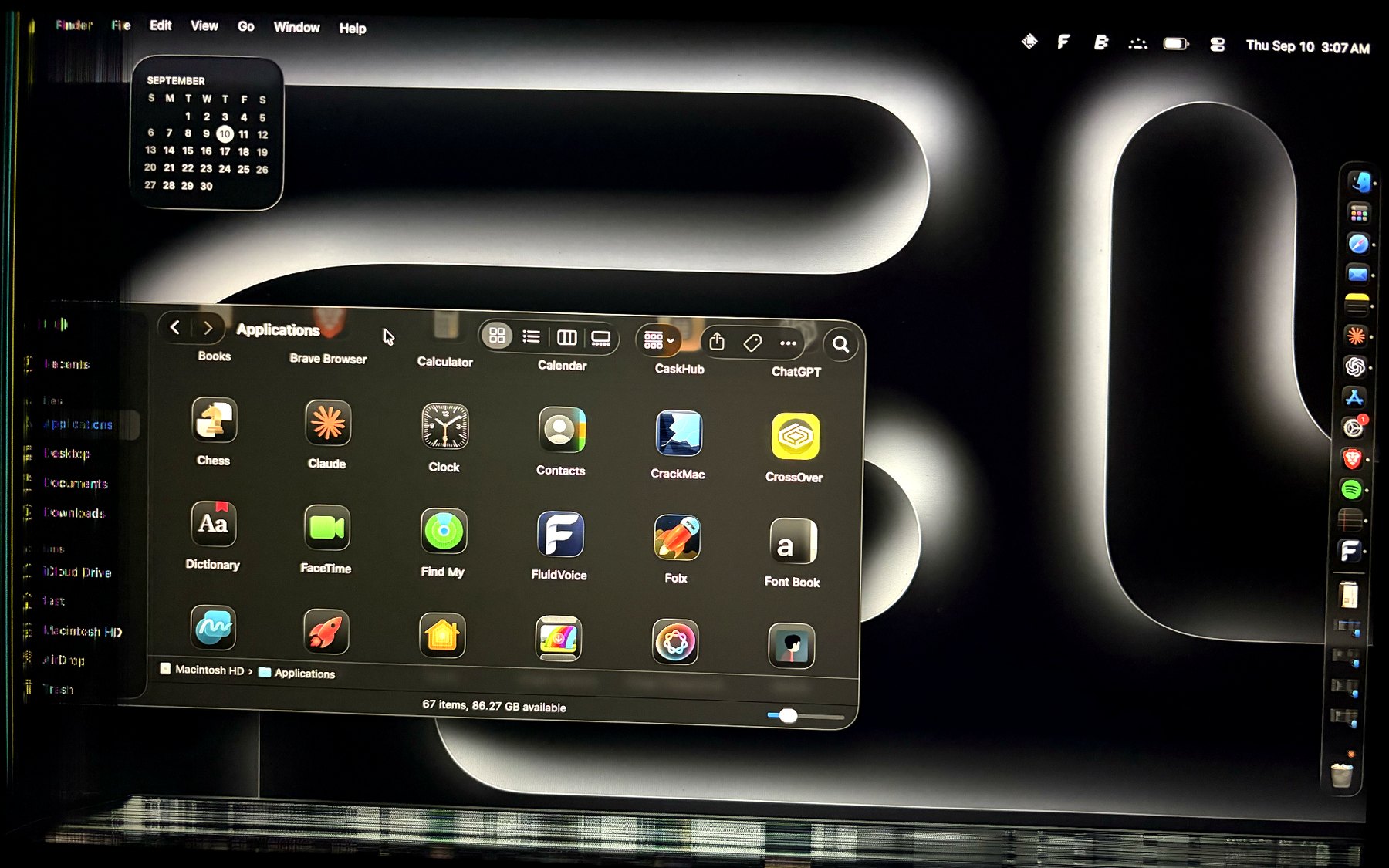
Mine cracked in a bag in August. A strip down the left side went black, then a band along the bottom. The Mac itself was fine. This is what I learned pricing the fix, and why I ended up writing software instead.
First, figure out what you have
Not all screen damage is the same, and the type decides which options are open to you.
- A crack with a dead strip along one edge. A band on the left, right, or bottom shows black, white, or coloured lines, and the rest of the panel is normal. This is the most common kind, and the one you can live with.
- Lines or a dead patch in the middle. You can work around an edge. You can't work around the middle of your screen.
- Garbage everywhere, or nothing. The panel or its ribbon cable is gone. Anything you do from here involves an external display or a repair.
Quick test: plug in an external monitor if you have one, or just watch the Mac boot. If the Apple logo appears where it should and only the edges are wrong, you're in the first group.
Option 1: repair it
The honest number first. Apple's out-of-warranty display replacement for a recent MacBook Air lands in the 400 to 600 dollar range depending on the model; Pros with the better panels cost more. That's for a machine that sells used for maybe 500 to 700 dollars, so on an older Air you're paying most of the laptop's value for its screen.
| Route | Typical cost | Worth knowing |
|---|---|---|
| Apple, with AppleCare+ | $99 | Flat accidental-damage fee. If you have it, stop reading and book it. |
| Apple, out of warranty | $400 to $600+ | Genuine panel, keeps True Tone and colour calibration. Quote is free. |
| Independent shop | $200 to $400 | Panels vary. Ask whether it's an original pull or an aftermarket part, and whether True Tone survives. |
| Do it yourself | $150 to $300 for the part | On modern Airs the display assembly is glued and the hinge is fussy. Only if you've done it before. |
My take: if the Mac is under three years old, or it's your only computer and you work on it all day, repair is the right call. Get Apple's quote even if you plan to go independent; it anchors the negotiation.
Option 2: an external monitor
The cheapest real fix. A decent 24-inch monitor is 120 to 200 dollars, and a MacBook in clamshell mode with an external screen, keyboard and mouse is a perfectly good desktop. If you mostly work at a desk anyway, this is probably the answer and you can stop here.
The catch is obvious. It's not a laptop any more. The moment you need to take it somewhere, you're back to the cracked panel.
Option 3: keep the laptop, lose the strip
This is the option nobody at the Genius Bar will mention, and it's the one I took.
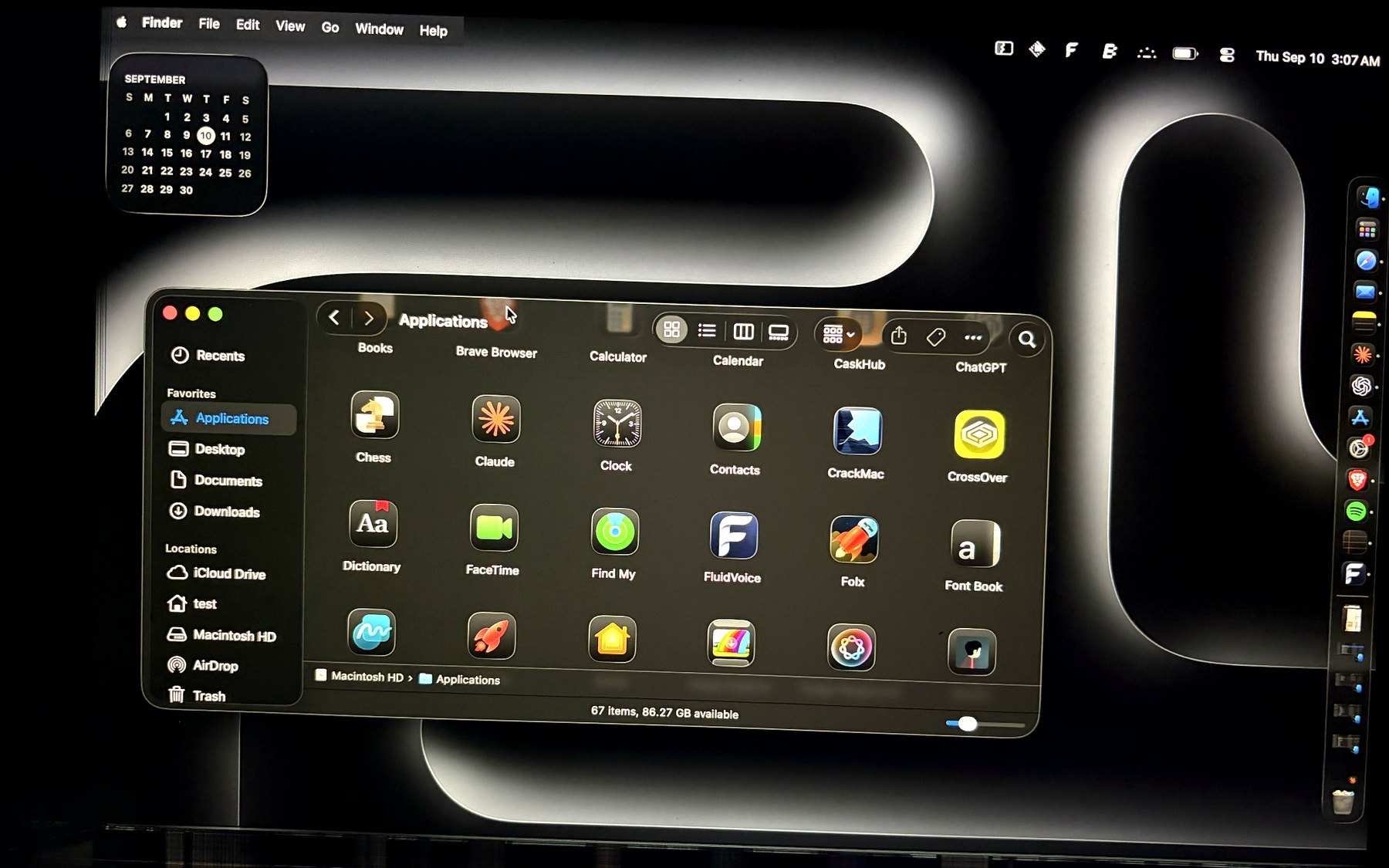
If the damage is along an edge, the working part of your screen is still bigger than most laptops from ten years ago. What makes it unusable isn't the missing pixels. It's that macOS doesn't know they're missing. Windows open across the dead zone. The Apple menu and the app menu sit in the top-left corner, which on a left-edge crack is exactly where the damage is. The pointer wanders into the black and you lose it.
Fix those three things and the machine is just a laptop with a slightly smaller screen.
You can do some of this by hand: keep windows away from the edge yourself, learn the keyboard shortcuts for the menus you can't see. I did that for two weeks. It's tiring, and every new window undoes it.
So I wrote CrackMac. You drag a line on a picture of your screen to mark the dead area. From then on, windows can't go there, the pointer can't go there, the dead area is painted black so it looks like a bezel instead of static, and the menu bar is redrawn just inside the good glass, Apple menu included, with every command still working. It's a one-time $24.99, and it takes about a minute to set up.
Where it doesn't help, so you don't buy it for the wrong reason: damage in the middle of the panel, or a strip that shows noise no matter what's drawn on it (that's the panel failing electrically, and painting it black does nothing). The FAQ is blunt about both, and the refund policy is seven days, no questions.
Option 4: sell it
A MacBook with a cracked screen still sells. Repair shops and refurbishers buy them for parts or fix them at trade cost, and Apple's own trade-in accepts damaged screens at a reduced value. Expect roughly half of what an undamaged one fetches. If you were going to upgrade within the year anyway, this can beat paying for a repair on a machine you're about to replace.
What I'd do, by situation
- AppleCare+: repair, today, for $99.
- Newish Mac, you live on it: repair, even at full price. Three more years of a good laptop is worth $500.
- Desk job, laptop rarely leaves: external monitor. Cheapest and best.
- Older Mac, edge damage, you still carry it around: software. Keep the $500. That's my situation, and a month in I've mostly stopped noticing the strip.
- Upgrading soon anyway: sell it damaged and put the money toward the next one.
Two things to do regardless
Back up now. A cracked panel is a sign the machine took a hit, and drives don't always announce that they minded. Time Machine to any external drive is enough.
And stop the crack spreading if you can. Don't close the lid with anything on the keyboard, don't carry it in a bag without a sleeve, and avoid leaving it in a hot car. Cracks in LCDs grow with flexing and heat. Mine went from a corner to a full strip in three weeks of not knowing that.
If you're in the edge-damage group, CrackMac is the software option above. It runs on macOS 13 or later, Apple silicon and Intel, and it's built by someone with the same cracked Air you have.